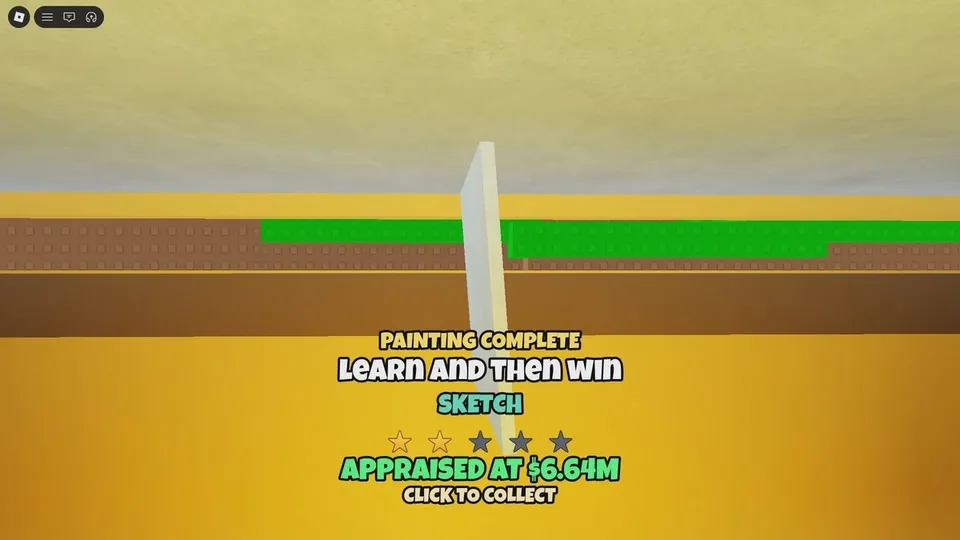
Cash comes from selling paintings. The appraisal you get when you finish a canvas is what you compare with a buyer's offer. Studio size changes how good those offers get. The auction house is a separate, slower sale for your best piece.
Read the grade before you haggle
Finishing a painting grants an appraisal and can move the Prestige Stars counter. Those are related but not proven to be the same number. Guides say you get Stars when you finish a painting. Roblox badges say you can create a painting rated four stars or higher, and a separate badge for a five-star painting. Whether the Prestige Stars line adds the appraisal's star count, or awards Stars in some other way, is not published. Treat the grade on the canvas as the number you compare with the offer.
The grade formula is not settled. Do not assume a stroke count or a more complex drawing guarantees five stars. Five-star paintings are much rarer than four-star paintings in Roblox's badge statistics.
Put the painting on a table. A buyer eventually offers. You can:
- Negotiate, which can raise what that one painting pays.
- Sell, which adds the agreed Cash and counts as a sold painting.
- Decline, and wait for another passer-by while the piece stays on display.
Negotiate on a strong grade. Sell a weak grade if you need a green button right now. The next canvas can be the one you hold.
Why studio size changes the offer
Buyer traffic and offer quality are tied to how far the studio has expanded. More of the 33 upgrades means more buyers and better offers, not just a larger building. That is why a sale should usually pay for the next affordable green button. Named button results include artists, walls, and ceiling. The live button is the source of its exact cost.
Hired NPC painters can be unlocked from those buttons and will paint without you. Their income is described as too small to carry Prestige requirements. Use them as background Cash. Keep finishing your own canvases if you need Stars and sold-painting counts.
Auction house
After the studio is expanded far enough, an auction house opens on the third floor. A painting sold there is described as paying much more than a normal table offer. You can run it only once every five minutes, so take the highest-graded painting you have, not a filler canvas.
- Confirm the auction house is actually open. It is not available in a bare starter stall.
- Pick the best grade currently on your tables.
- Sell that piece at the auction.
- Use the five-minute gap to paint or to step on a green button. Do not stand idle waiting to auction a low grade.
If you only have ordinary grades, a negotiated table sale is the better use of the canvas. Saving every painting for the auction stalls the Cash you need for buttons.
The Curiosity Found the Cat badge points at a secret storage room behind the auction painting. That is a badge find, not a second way to price a canvas. Steps are in the badge guide.
Where the Cash should go
| Situation | What to do with the painting or the Cash | Why |
|---|---|---|
| Studio still missing an affordable button | Sell, then step on the next progression button | Expansion is what improves later offers |
| You are short of the Cash line in the Prestige menu | Hold enough Cash to meet that line | The reset deletes Cash, and it will not start until the line is met |
| Auction is off cooldown and you hold a top grade | Auction that piece | It is the highest documented single-sale price, on a five-minute lock |
| Only hired painters are working | Paint a canvas yourself | Their sales are not described as enough for Prestige requirements |
There is no published formula that converts a grade into a Cash number. Compare the offer on screen with the appraisal you were just given. Use the upgrade payback calculator only as arithmetic on numbers you type in yourself.